Changelog
The latest improvements and behind-the-scenes updates from the Peec AI team.
May 8, 2026
Maps and ads, now rendered inside ChatGPT chats
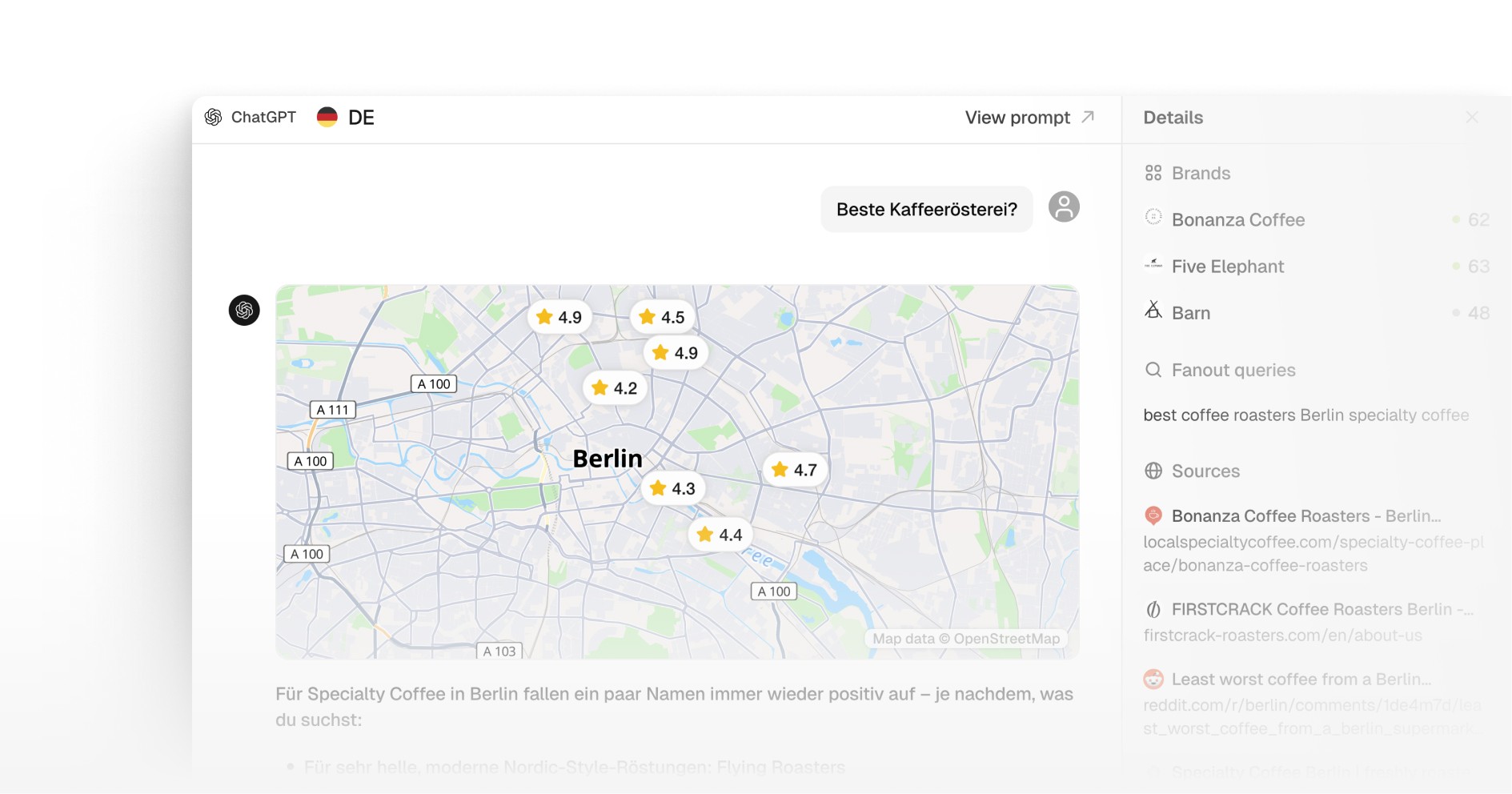
When ChatGPT responds with local businesses, Peec now renders them on an interactive map directly inside the chat view. Each pin is hoverable so you can see the business detail. If you are tracking local visibility or city-level recommendations, you finally see the answer the way the user sees it, not as a flat list of names.
We also started parsing and rendering the ads that appear inside ChatGPT chats, with a clear "ads" tag so you can spot at a glance which chats contain advertising. It is a first step toward understanding paid presence in AI answers, alongside the organic mentions you already track.
MCP, now at bulk scale
You can now bulk create, update, and delete Brands, Prompts, Tags, and Topics through the Peec AI MCP, up to 50 at a time. Brand profile is now readable and writable, results are sortable, and URL-level opportunities and gap analysis are available directly through MCP and the Customer API. List endpoints return prompt volume and total counts so you can prioritize the work that actually matters. The same workflows you would run by hand, scripted at scale from Claude, Cursor, or any MCP client.
Early Access is now self-serve
A new Early Access section in your company settings lets you turn on beta features yourself, no need to ping us. Two features are live there today.
Synthetic Query Fanout predicts the follow-up queries an AI engine is likely to generate from a user's original search, so you can see how those branches play out for your brand. ChatGPT only today, more engines coming.
Brand Insights breaks down visibility, share of voice, position, sentiment, and rankings across AI models, topics, tags, and brands in a single view. Useful when you want to slice the same competitive question several ways without rebuilding charts.
Smarter prompt suggestions
Suggested prompts now factor in search volume and topic relevance, not just topic match. Higher-volume prompts and prompts closer to your topics surface first, so the suggestions you see are the ones most worth tracking. Less noise during setup, fewer low-value prompts to skip past.
Apr 27, 2026
Agent Analytics
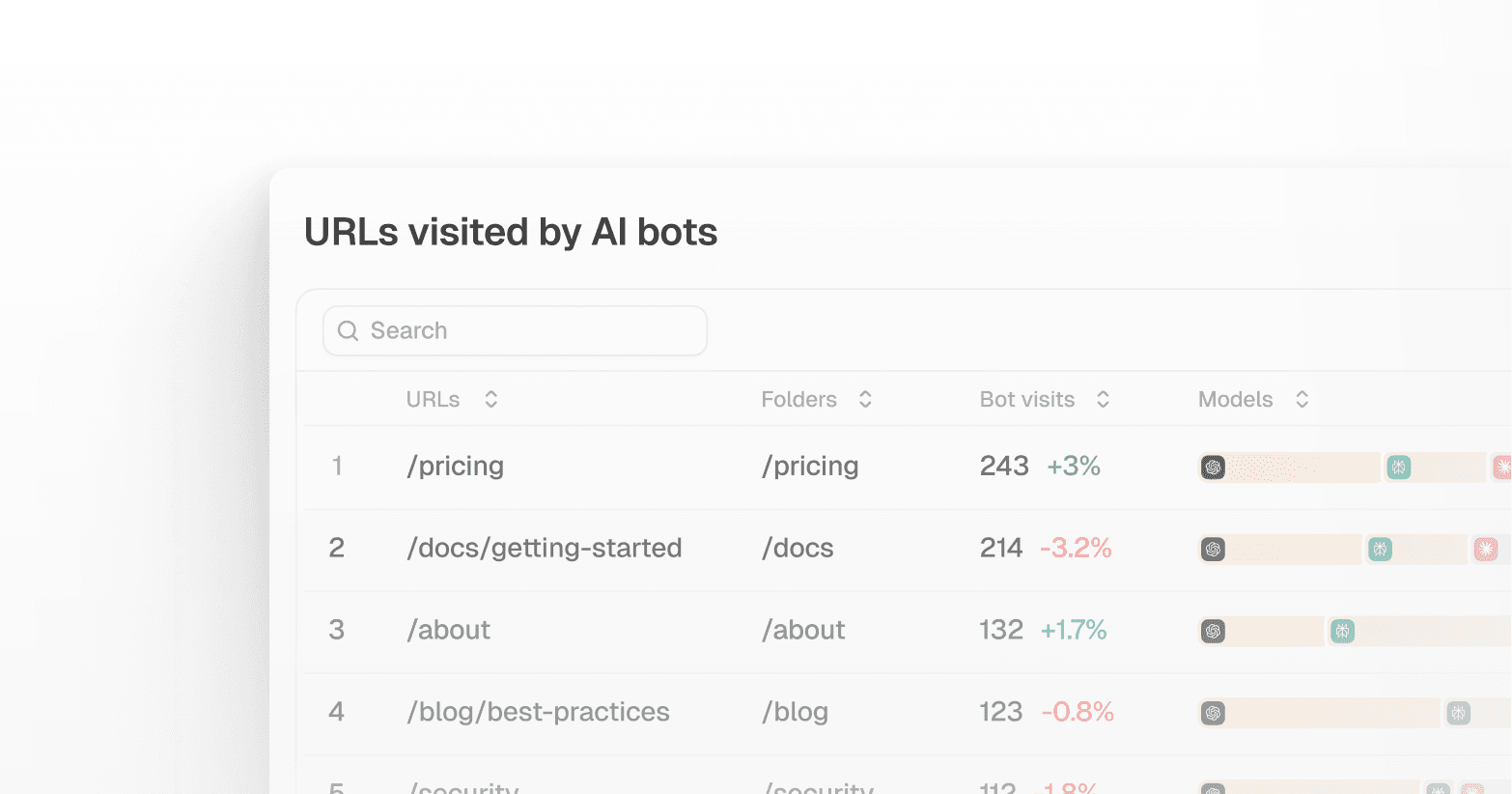
Most AI visibility data tells you whether your brand appears in AI responses. Agent Analytics goes one layer deeper: it shows you what AI crawlers are actually doing on your site, which pages they visit, how often, and whether they can access them at all. Built on your own server log data, it gives a direct and objective view of how AI bots interact with your content. That helps you catch technical access issues before they affect your visibility and understand which pages AI models are most interested in.
At launch, Agent Analytics includes two tools: Crawl Insights and Crawlability. Log ingestion connects via Cloudflare Workers or CSV/CLF file upload. Support for additional hosting providers is on the roadmap.
Crawl Insights
Connect your server logs and see which AI bots visit your site, which pages they hit, how often, and with what result. The overview shows aggregate trends across bots, status codes, and traffic volume. The details view lets you drill into specific pages, filter by bot type or time range, and see how retrieval data from your tracked prompts sits alongside your actual crawl activity. That combination is directional and useful for finding where to investigate, not a direct cause-and-effect relationship.
Crawlability
Check which AI bots are allowed or blocked by any domain's robots.txt instantly, without needing server access. You can also test individual URLs against the current rules to catch accidental blocks before they affect how AI models reach your content.
Apr 20, 2026
Peec AI MCP Server
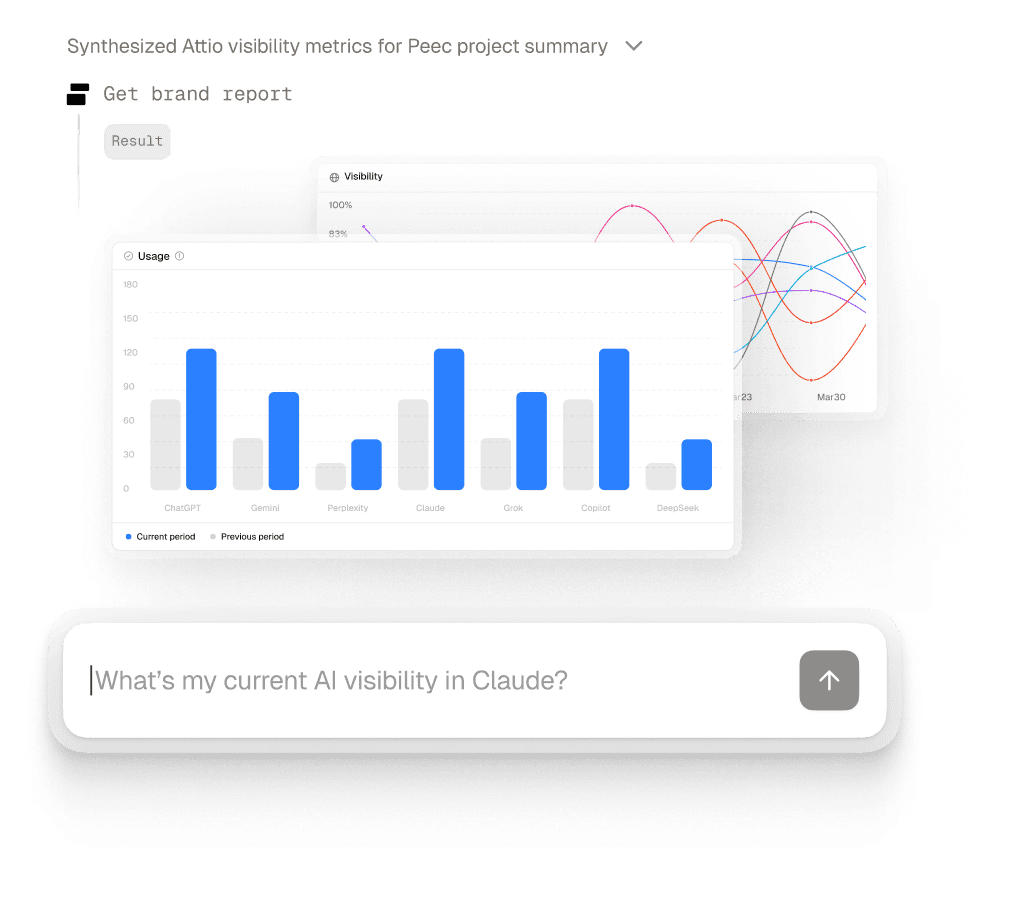
You can now use your Peec AI data directly inside the AI tools you already work in with the new Peec AI MCP. Ask Claude, Cursor, VS Code, Windsurf, and other MCP-compatible tools questions about your visibility, competitors, sources, prompts, and trends using your real Peec project data.
This makes Peec AI more than a dashboard. Instead of switching between tools, exporting reports, or pulling screenshots by hand, you can get answers where the work is already happening. That makes it easier to build reporting workflows, run competitive analysis, and turn AI visibility data into action faster. To make setup easier, you can now find Peec AI MCP directly in partner connector directories (Anthropic & Cursor) and connect with a single click.
More of your data is now available inside MCP
The MCP server now gives you deeper context when you ask questions. You can pull source URL content for analysis, see YouTube channel names and Reddit community names in source reports, access Peec AI recommendations directly through MCP, and inspect available AI models without guessing valid model IDs.
MCP now supports more complete workflows
You can now go beyond read-only analysis. We shipped native prompt workflows for faster repeated tasks, added write tools so you can create, update, and delete key Peec AI entities from MCP clients, and improved the server instructions so AI tools are better at choosing workflows and recovering from errors on their own.
Apr 13, 2026
Brand Profile
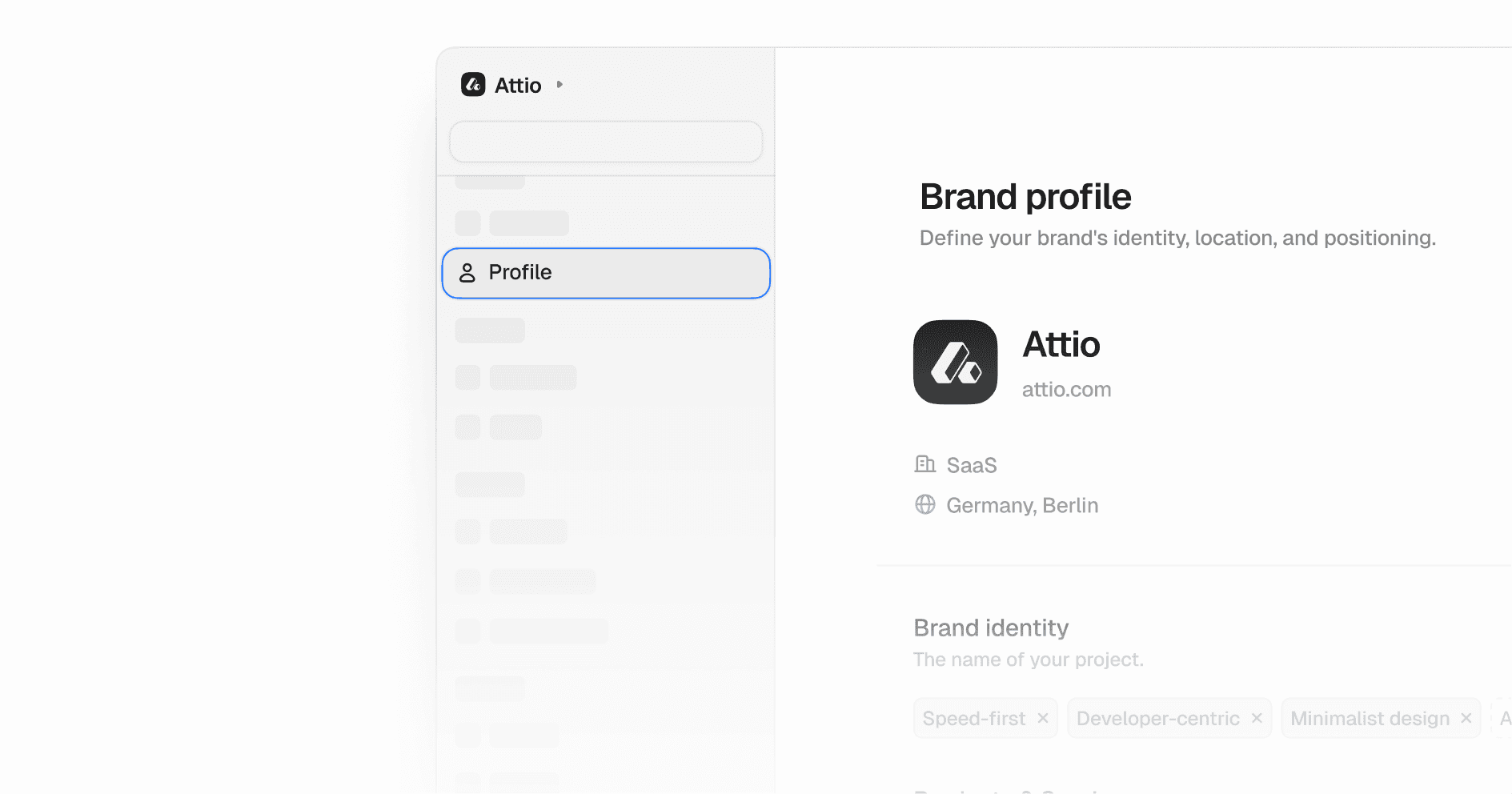
Your topics and prompts are only as good as what Peec knows about your brand. Brand Profile gives you one place to describe your brand, market, and target audience. When you update it, Peec automatically regenerates your suggested topics and prompts so your tracking reflects how your brand actually shows up in AI responses, not a generic approximation.
We also redesigned the Brands page. It now uses a table layout with inline editing for display names and brand colors, and a cleaner flow for managing domains. Less friction across the board when you're setting up or updating your competitive landscape.
Pause and resume projects
You can now pause any tracking project and resume it whenever you are ready. Your setup stays intact, and credits stop being consumed while paused. Useful if you are winding down a campaign, handing off to a client, or want to free up credits without losing your configuration.
New brand filter
The brand filter is now multi-select and grouped into "Your brand" and "All brands" with search. Keep your own brand as the anchor point and choose exactly which competitors to compare against. The Top 7 Brands card on the overview updates with your selection.
Custom domain selection on source charts
You can now pick up to 5 specific domains to display on the source chart. Colors match your brand configuration. Useful if you want to focus on the domains that matter most instead of seeing the default top results.