Changelog
The latest improvements and behind-the-scenes updates from the Peec AI team.
Mar 12, 2026
Credits and Flexible Project Management
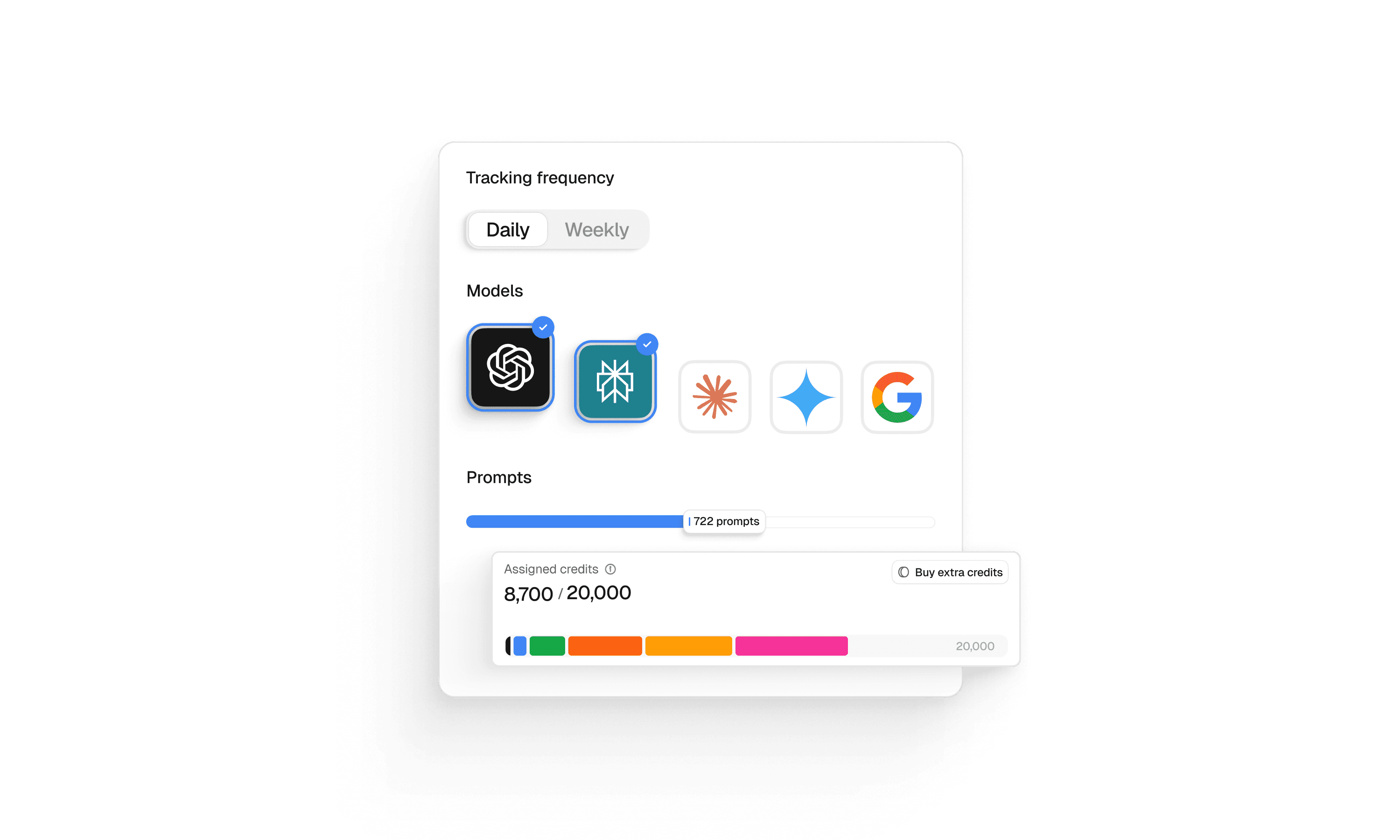
Manage your credits and prompts the way your team actually works. On the Projects page, agency users can now choose which AI models each project tracks and how many prompts it gets. Shift resources as priorities change: focus your budget on the projects and models that matter most.
Brands can also now select which AI models they want to track, so you only pay for the coverage that's relevant to your market.
Keyword import for prompt suggestions
Upload a keyword list and we automatically cluster them into topics and generate ready-to-track prompts. New projects get smarter topic and prompt suggestions from the start. We build a profile for your brand so suggestions are tailored to your business. Combined with keyword import, you can go from zero to full coverage in minutes.
API: Share of Voice and advanced filtering
The API now includes Share of Voice as a metric. You can filter results by topics, tags, models, brands, domains, and URLs, giving technical teams more flexibility for custom dashboards and automated workflows.
Timezone picker redesign
Finding and selecting your project's timezone is now simpler, with better usability on smaller screens.
Mar 9, 2026
Share of Voice and Improved Prompt Suggestions
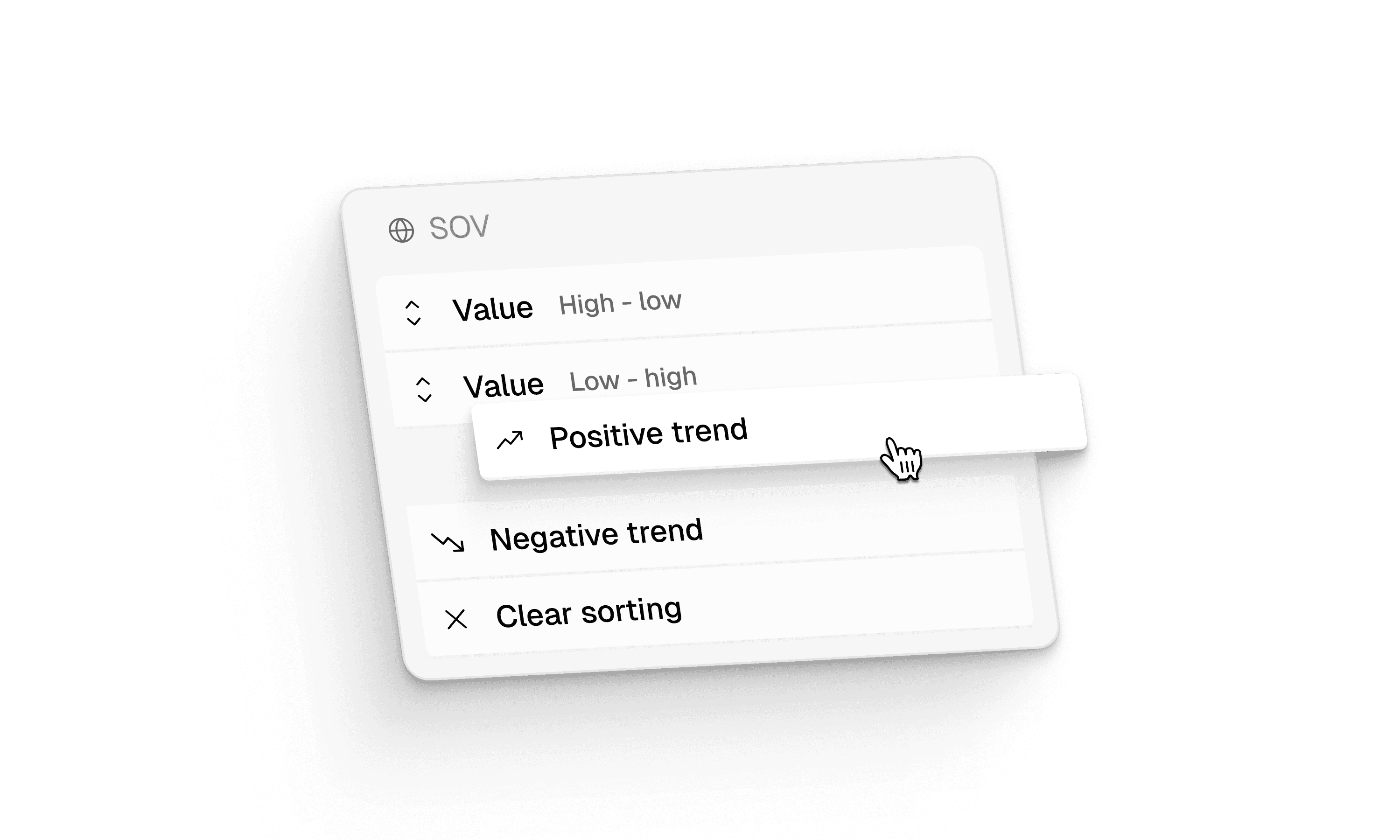
One of the most requested metrics since late 2024, Share of Voice (SoV) tells you what slice of the AI conversation your brand owns compared to all the competitors you track. Unlike Visibility, which measures whether you're mentioned at all, SoV counts every mention per response, so a brand referenced five times in one chat scores higher than one referenced once.
We also added sorting by absolute values and trends across all four scores (Visibility, SoV, Sentiment, Position), making it easy to spot which brands moved the most in any direction.
Topic and prompt suggestions now incorporate your full company profile, which means they come out more specific and relevant. The Suggested tab auto-classifies prompts with tags, so you can filter suggestions immediately without manual cleanup.
You can also upload a CSV of your own keywords: we'll cluster them into topics and generate ready-to-activate prompts in minutes, making it a lot faster to get a new project off the ground.
Filter Sources by domain type
On the Sources page, you can now filter the URL list by domain type: owned, earned, UGC, paid, or unknown. This makes it faster to answer the questions that matter most: like how much of your AI visibility comes from your own content versus third-party coverage. Clicking a bar in the domain type chart jumps directly to the filtered URL list.
Actions now show recurring themes and a new Site Crawlability check
Each action card now surfaces the most common themes from the sources behind it. This helps you see at a glance what content topics are driving each recommendation. We also added a new Site Crawlability action: it scans your robots.txt file and flags if major AI crawler bots are blocked.
Much faster for longer time frames
Charts previously struggled with data beyond 30 days. Now you can pull all-time data without issues, and aggregate any chart on a weekly or monthly basis, especially useful if you're on a weekly tracking plan where daily charts looked noisy before.
We also added a bar chart showing the average for the selected time frame on the Overview page.
Shopping fanout queries are now visible
On chat detail pages, you can now see the shopping queries that AI models run behind the scenes to populate product results, particularly interesting for e-commerce brands.
For API users: fanout and shopping fanout queries are now available through our API.
Microsoft Copilot is now trackable
Copilot has been on the roadmap for a while and frequently asked about by customers: it's now fully supported.
Jan 26, 2026
Gap Analysis and Prompt Topics
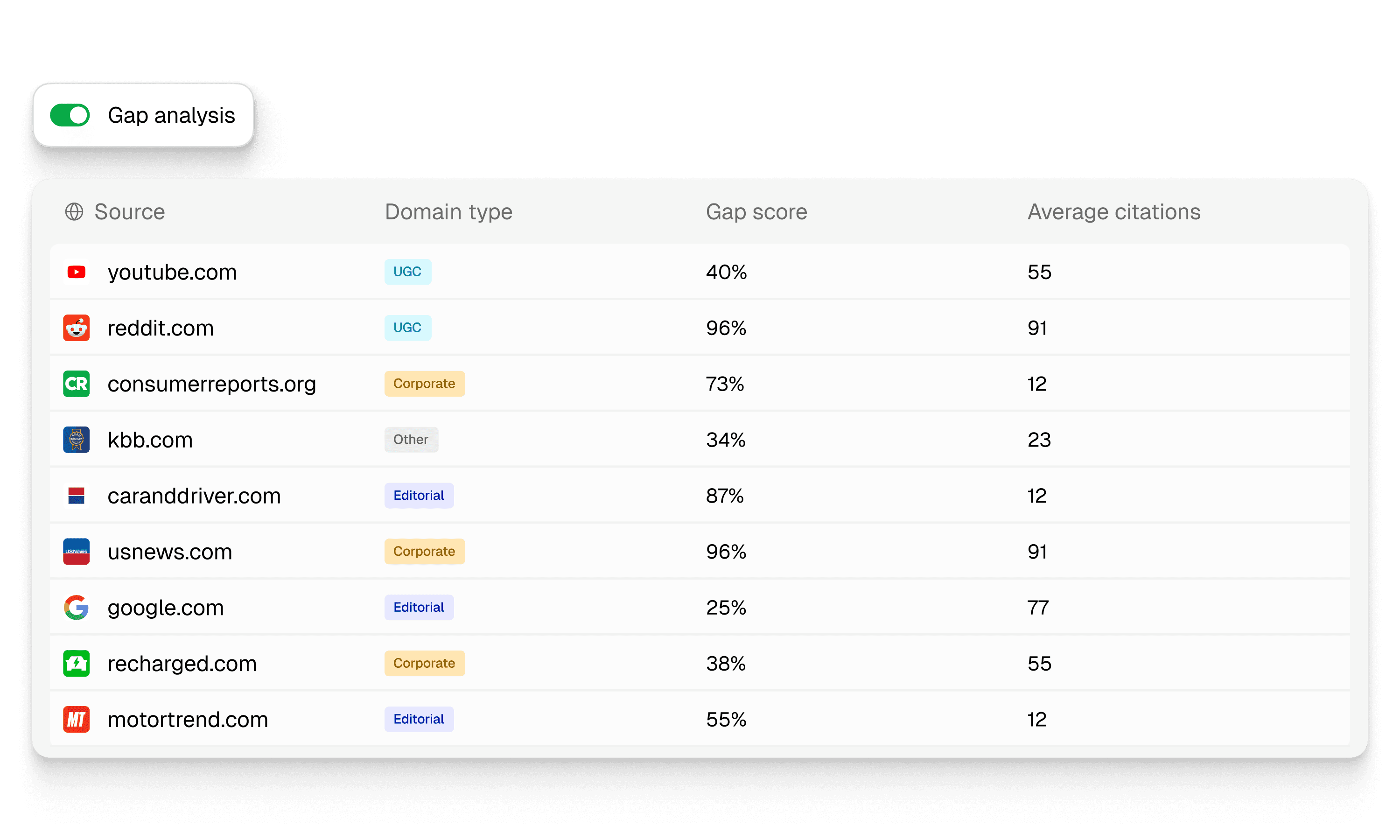
Source Gap Analysis shows where competitors appear but you don't, turning competitive intelligence into clear next steps.
Organize large-scale tracking and identify exactly where to improve. Topics let you group prompts by theme and navigate through topic-based views instead of scrolling through long lists.
Fanout queries and chat-level intelligence
See the multiple sub-searches AI platforms perform when answering questions. Fanout query aggregates on Prompt Details show which related searches AI platforms run when they process your prompts.
The terms mentioned reveal which topics and brands are most closely associated with your prompts. The redesigned Chat Details page provides better insights into individual chats.
YouTube transcripts and expanded monitoring
YouTube transcript analysis searches for brand mentions in video content. The "Only" filter provides one-click filtering for models and tags. We expanded to 24 new countries including 5 MENA markets and the Philippines.
Team collaboration and permissions
The Project Viewer role provides read-only access to visibility data. Competitor aliases let you track variations of competitor names under a single profile. Shopping widget indicators show when prompts trigger shopping research in ChatGPT.
Sep 15, 2025
Enterprise Features and Projects
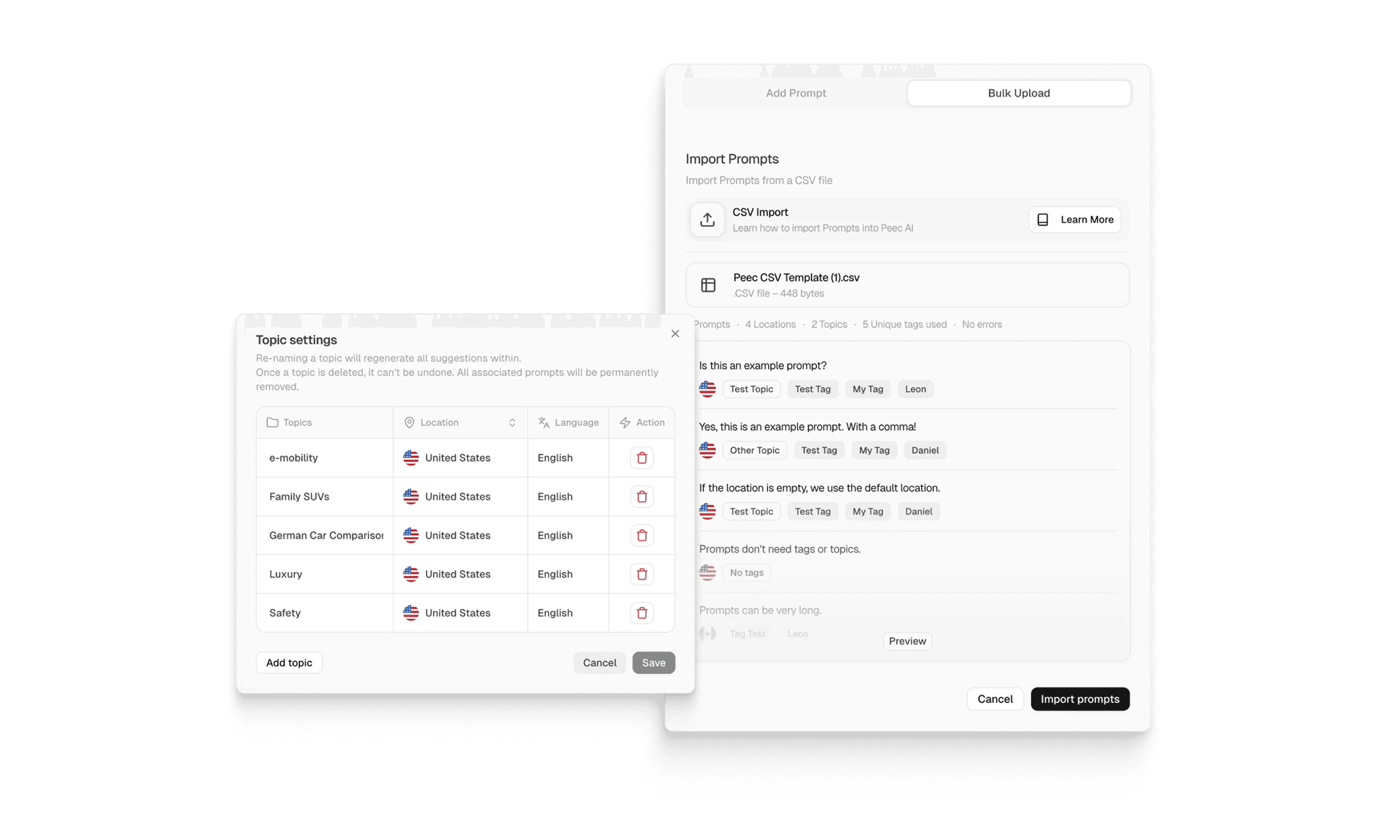
Import your entire prompt library with tags in seconds using CSV upload. The redesigned interface loads faster and displays more data. We renamed Workspaces to Projects for clearer terminology.
URL and domain classification
See which content types drive your visibility. URL classification identifies articles, listicles, product pages, comparisons, how-to guides, and discussion threads.
Domain classification sorts sources into UGC, Editorial, Corporate, Reference, Institutional, and Other.
Advanced filtering and data export
Prompt filtering is now simpler with AND/OR toggle logic for tags. Track prompts tagged "product" AND "comparison" or either "enterprise" OR "SMB" segments without building complicated filter combinations.
Multi-select filters work across all tables. The rebuilt Looker Studio connector and expanded API endpoints give technical teams programmatic access to all visibility data for custom dashboards and automated reporting workflows.