AI visibility tells you where you show up. It doesn’t tell you what happens when someone clicks through.
Research from Graphite found that LLM-attributed conversions had a 33% higher conversion rate than organic search. That makes the traffic coming from AI assistants worth paying attention to.
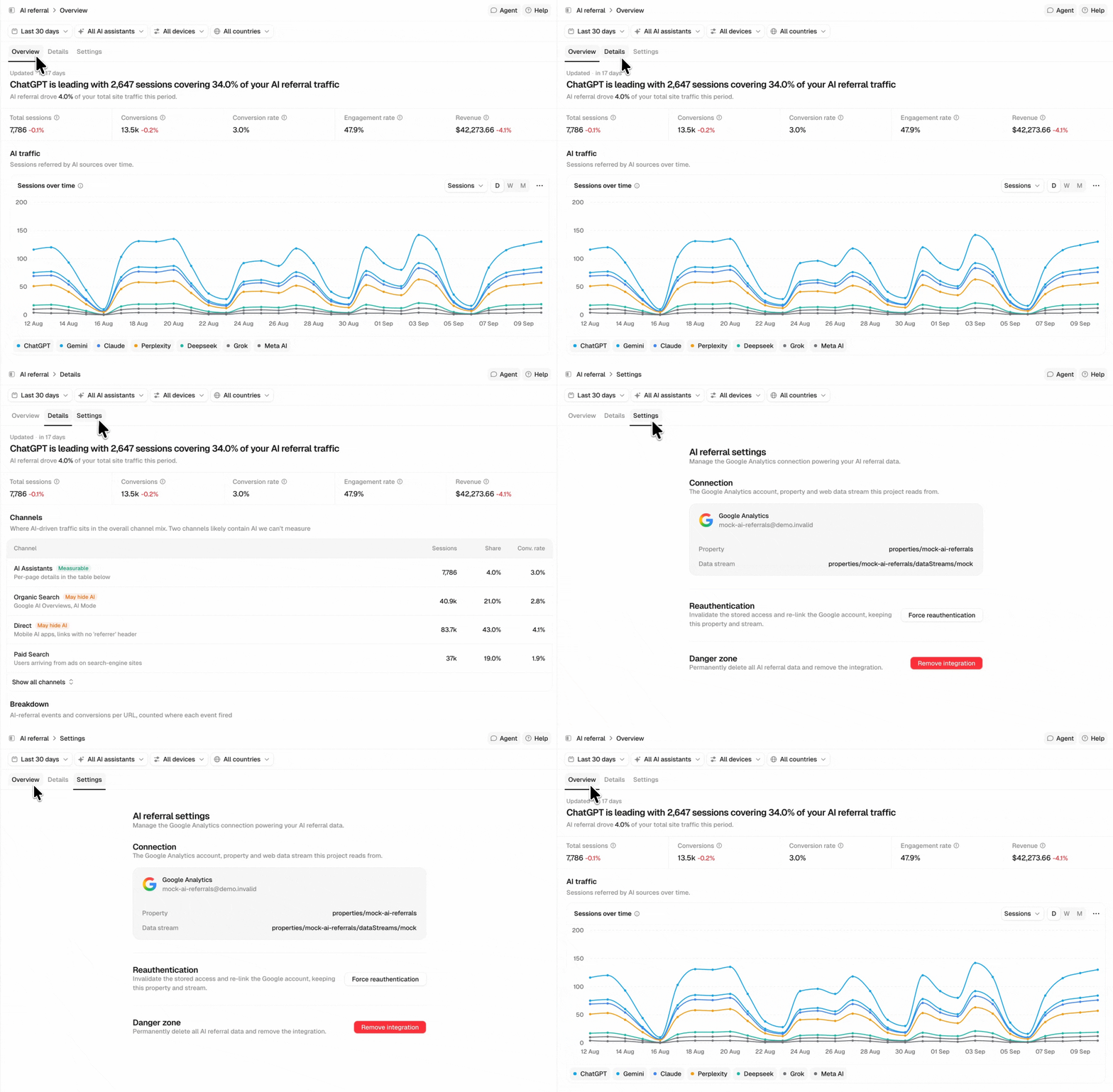
AI referrals is now live in Peec AI. Connect Google Analytics to see the sessions AI assistants send to your website, where those visitors land, and what they do next.
See what AI assistants send you
AI referrals shows sessions, engagement, conversions, and revenue from AI assistants, broken down by assistant, landing page, country, and device.
The Overview shows your headline metrics and how AI traffic changes over time. You can compare assistants including ChatGPT, Claude, Gemini, Perplexity, Copilot, and others, then see which pages receive that traffic.
Peec combines GA4’s native AI-assistant classification with its own source detection, capturing referrals that GA4’s default grouping may miss.
But some AI traffic is categorized elsewhere in GA4. Google AI Overviews and AI Mode are classified as Organic Search, while visits from mobile AI apps and links without a referrer can appear as Direct.
The Channels view puts those alongside measurable AI referrals, so you can see where GA4 may be undercounting AI as a traffic source.
One page, from crawl to visit
AI referrals tells you what happens after someone arrives from an AI assistant. But that’s only one part of how AI interacts with your website.
That’s why we’re also launching My website.
My website brings your server-log data, Peec’s prompt tracking, and GA4 data together at the page level. For each page, you can see how it moves through AI search: from being crawled, to being used as a source, to receiving measurable traffic and conversions.

That makes the gaps easier to spot. A page might be crawled but never retrieved, or regularly used as a source without sending measurable traffic.
You can also spot ghost citations, Kevin Indig’s term for when AI uses your content as a source without mentioning your brand. My website shows you where that’s happening, so you can find content earning citations but not brand visibility.
What to look at first
Find the pages AI relies on. Head to My website and sort pages by Retrievals, then compare Citation rate to find pages that AI frequently uses as a source but cites less often.
Find the assistants sending you traffic. Open AI referrals to see sessions by source, then filter by an assistant to see which pages its visitors land on.
See what AI traffic does next. In AI referrals, check the Breakdown to see which landing pages are associated with events and conversions from AI-referred visitors.
Getting started
Connect your GA4 from AI referrals and select the property you want to use for the project.
For the full My website view, connect both GA4 and a and an edge/CDN log source or access log file. GA4 provides the AI-referral data; your crawl logs provide AI bot activity; and Peec’s prompt tracking provides retrieval and citation data.
If you’re not using Peec yet, start a free trial and see how AI interacts with your website.